Free OCR / local first
Image to Text Converter — extract text from any image
Stop retyping. Pull the text out of a screenshot, photo, or scan and copy it as real, editable text. The free mode runs entirely in your browser — unlimited use, and your images are never uploaded. A high-accuracy cloud mode is there when you need it.
Private local OCR desk
Image pixels stay on this device; the selected language data is downloaded on demand
Choose an image with printed text
English, simplified Chinese, or Japanese. Handwriting is not a local-mode quality promise.
Drop, browse, or paste an image
STEP BY STEP
How to convert an image to text
Add the image
A screenshot, a photo of a page or sign, a scanned document — JPG, PNG, or WebP.
Pick the language
Tell the reader what language the text is in; the matching recognition data loads automatically.
Run the extraction
The text appears in an editable box. Words the reader wasn’t sure about are highlighted so you know where to look.
Copy or download
One click copies everything; or save the result as a TXT file. Fix any highlighted words first.
SEE THE RESULT
Examples that make the workflow clearer
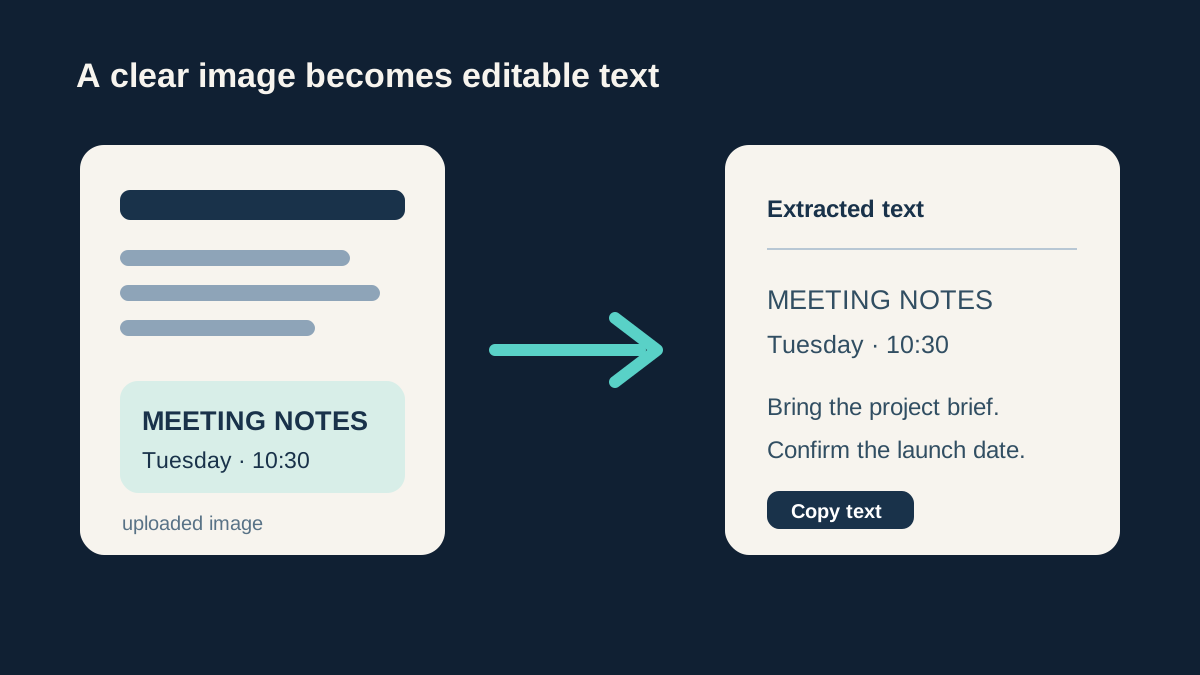
From a page image to text you can use
A clear, straight document image gives OCR the best chance of returning text that is ready to copy or correct.
REAL-WORLD USES
What people extract text from
Screenshots of text
An error message, a quote from a video, a paragraph someone sent as a picture — turn it back into text you can search, edit, and paste.
Printed pages and books
Photograph a page and extract the passage instead of retyping it. Great for study notes and citations.
Receipts, signs, and labels
Get the reference number off a receipt or the details off a sign into your notes without typos.
WHAT YOU GET
Image to text features
Free mode is truly private
Local OCR reads the image on your own device. Unlimited, free, and nothing is uploaded — use it on documents you’d never send to a website.
Honest about uncertainty
Low-confidence words are highlighted rather than silently guessed, so you review the risky spots instead of proofreading everything.
A stronger gear when needed
Blurry photo? Dense contract? High-accuracy mode uses Google Cloud Vision for 1 credit per image — clearly labeled as a cloud upload, and only when you choose it.
Flows into translation
Extracted text in another language? Send it straight to the Image Translator to get it in English.
01 / FIELD NOTE
Getting better OCR results
OCR reads with computer eyes, and computer eyes love the same things yours do: sharp focus, straight text, good contrast, decent size. Crop to just the text region, shoot square-on rather than at an angle, and avoid shadows across the page. Small type needs a close-up, not a zoomed-out photo of the whole document.
Two honest limits of the free local mode: handwriting is mostly out of reach, and low-quality photos lower accuracy fast. Those are the cases where high-accuracy mode earns its credit — try free first, and the tool will suggest switching when confidence is poor.
NEXT / WORKFLOW
Related tools
Image Translator
Translate the text in a photo — menus, signs, screenshots.
PDF to Image
Save PDF pages as PNG or JPG pictures, page by page.
Image Cropper
Crop to any ratio, or cut a circle with a transparent background.
Compress Image
Make JPG, PNG, and WebP files smaller — free and private.
Photo Enhancer
Restore clarity, detail, and natural texture.
QUESTIONS & ANSWERS
Image to text — common questions
Is this image to text converter free?
The local mode is free with no usage cap and no account. Only the optional high-accuracy cloud mode costs credits (1 per image), and it never activates on its own.
Are my images uploaded when extracting text?
Not in free mode — recognition runs in your browser and the image stays on your device. Only choosing “high-accuracy mode” sends that image to the cloud, and the interface says so clearly before anything is sent.
Can it read handwriting?
The free local mode generally can’t — it’s built for printed text. The high-accuracy cloud mode handles clear handwriting considerably better, though nothing reads a doctor’s scrawl reliably.
Which languages are supported?
English, Chinese, and Japanese are the tuned options in local mode, with the language pack loading on demand. Pick the language before running — it substantially affects accuracy.
How accurate is the text extraction?
On a clean screenshot or a sharp photo of print, expect near-perfect results with the occasional slip on numbers and names — always check those. Quality drops with blur and low contrast; accuracy follows the image more than the engine.
AI, when the task calls for it
Text extracted — but in another language?
The Image Translator runs OCR and translation in one flow: extract, review, see the price, then translate.
Translate an image