Cloud tool / 3 free per day
Image Translator — translate the text in any picture
A menu, a sign, a label, a screenshot in a language you don’t read — upload it and get the text translated, side by side with the original. You see the extracted text and the exact price before anything is charged, and the first three each day are free.
Google image translation desk
First extract and review the source; PixArmory shows the final quote before translation
Checking cloud availability…
STEP BY STEP
How to translate an image
Upload the picture
A photo of a menu, document, sign, or a screenshot with foreign text in it.
Review the extracted text
The text is read out of the image and shown to you first. Fix any misread characters — it takes a second and improves the translation.
Confirm the quote
You see the character count and the exact cost (free uses included) before translation starts. Nothing is charged behind your back.
Read side by side
Original and translation appear in parallel, both copyable. English is the default target; other major languages are available.
SEE THE RESULT
Examples that make the workflow clearer
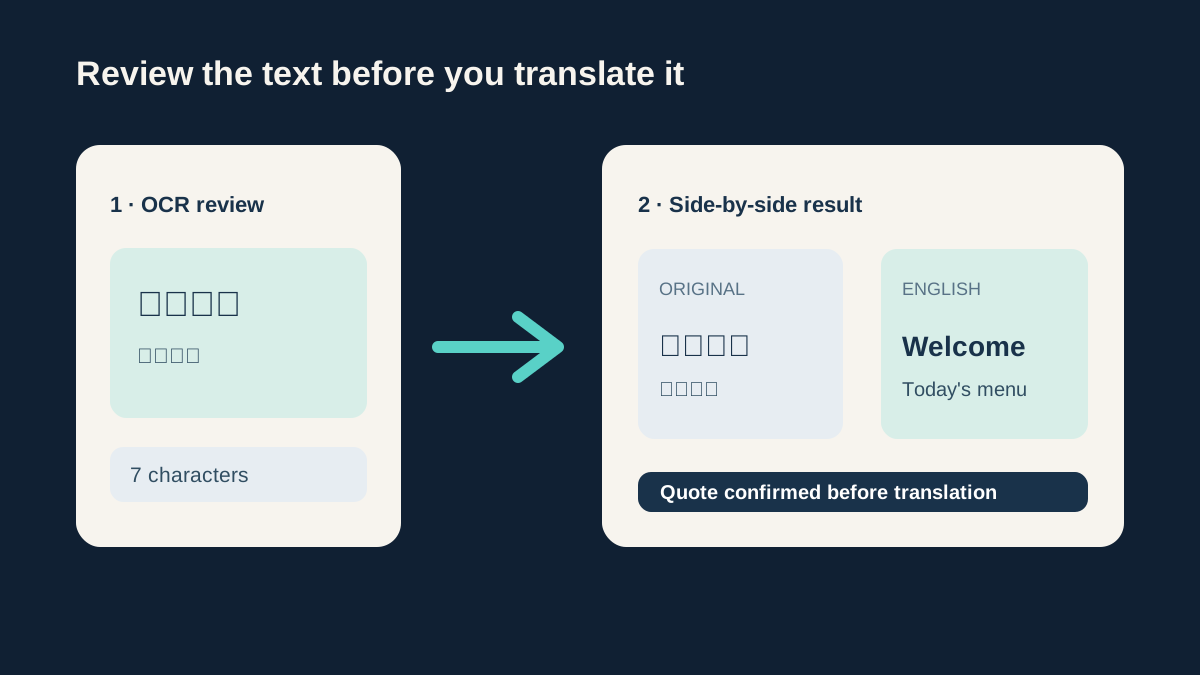
You review the OCR before translation
The flow separates text extraction, quote approval, and the final side-by-side translation so a bad read never becomes a surprise charge.
REAL-WORLD USES
When an image translator saves the day
Travel photos
Menus, train station boards, museum plaques, medicine boxes — photograph, upload, understand.
Foreign-language documents
A letter, invoice, or form arrives in a language you don’t read. Translate it enough to know what it is and what it wants from you.
Screenshots from apps and games
Text living inside an image can’t be copy-pasted into a translator. This tool does the extraction step for you.
WHAT YOU GET
Image translator features
Nothing happens without your OK
Extraction first, your review second, translation only after you confirm. You’ll never pay for a translation of garbled text you didn’t approve.
Clear, capped pricing
3 free translations per day (up to 500 characters each). Beyond that, pricing starts at 2 credits for a short text and is quoted exactly before you commit.
Serious engines underneath
Text reading and translation are powered by Google Cloud — the same technology behind professional translation workflows.
Nothing kept afterwards
Your image, its text, and the translation are processed and returned, not stored. We keep usage counts, not content.
01 / FIELD NOTE
What this tool does and doesn’t do
You get the translated text — clean, copyable, next to the original. The tool doesn’t repaint the translation back into the picture over the original lettering; for menus, documents, and signs, the text itself is what you actually need.
Machine translation is excellent for understanding and rough drafts, and not a substitute for a certified translator. For anything medical, legal, or financial, treat the output as a first read, not a final answer. Stylized fonts, handwriting, and vertical layouts can also trip up the reading step — that’s exactly why you review the extracted text before paying.
NEXT / WORKFLOW
Related tools
Image to Text
Copy the text out of any screenshot or photo — free OCR.
Image Cropper
Crop to any ratio, or cut a circle with a transparent background.
PDF to Image
Save PDF pages as PNG or JPG pictures, page by page.
Compress Image
Make JPG, PNG, and WebP files smaller — free and private.
Photo Enhancer
Restore clarity, detail, and natural texture.
QUESTIONS & ANSWERS
Image translation — common questions
How do I translate a picture to English?
Upload it, glance over the extracted text, and confirm — English is the default target language. The whole flow takes under a minute for a typical photo.
Is the image translator free?
You get 3 free translations per UTC day, each up to 500 characters — enough for most menus and signs. Longer or additional texts use credits, always quoted exactly before you confirm.
Which languages can it handle?
All major world languages, in both directions — translate a Japanese menu to English or an English document to Spanish. Text extraction handles the common scripts automatically.
Why show me the text before translating?
Because reading text out of a photo is the error-prone step. Reviewing it first means a blurry character doesn’t silently become a wrong translation — and means the price you approve is based on text you’ve seen.
Is my photo kept on your servers?
No. The image is sent for processing (this is a cloud tool, unlike our local ones — the page says so plainly), used to extract and translate the text, and not retained. Translations are powered by Google.