2K · 3:4
A chalkboard menu you can actually read
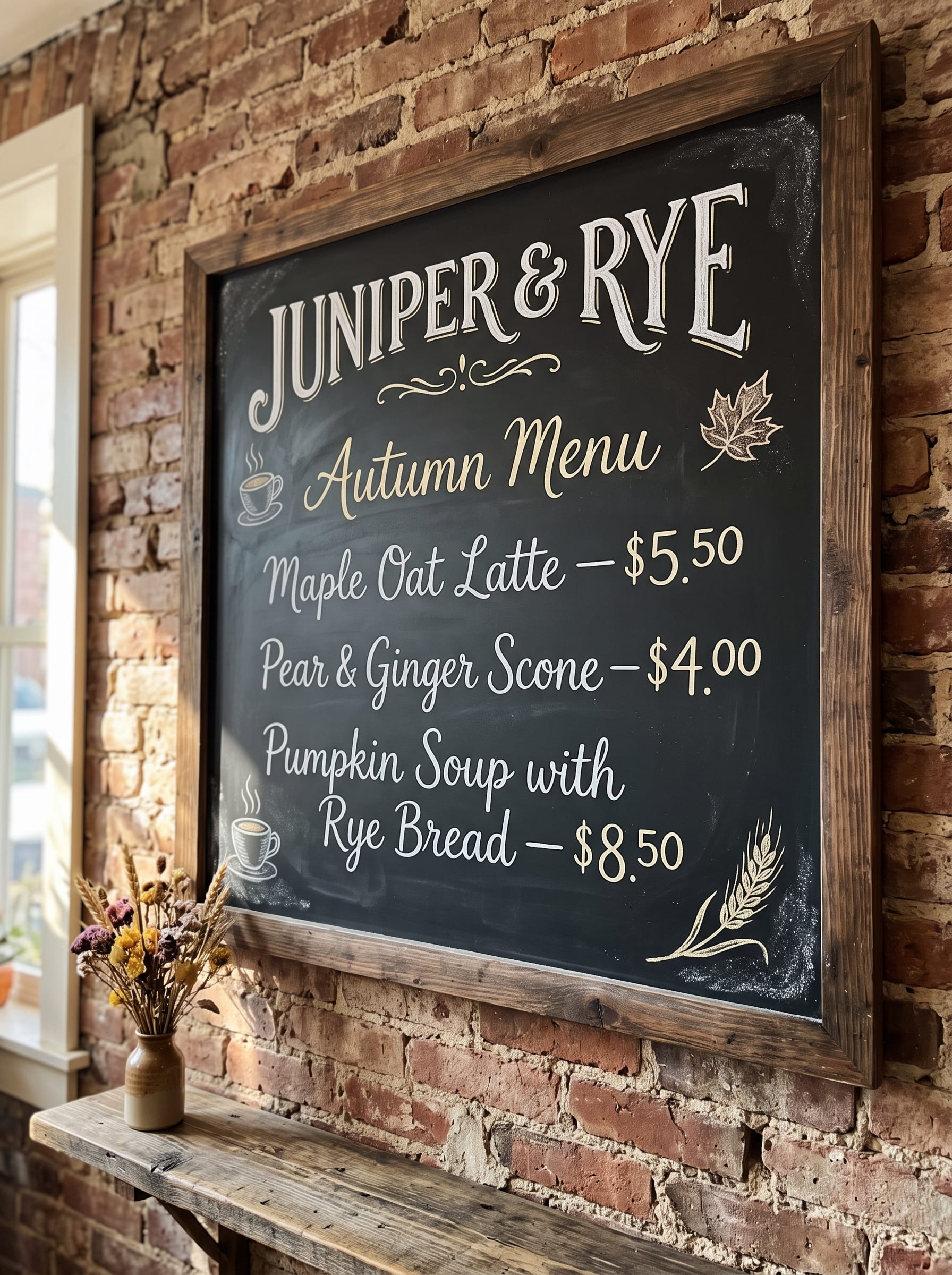
Six lines of hand-lettered text, including prices and an ampersand. Clear, correctly spelled text inside a photo is one of the biggest improvements in this release.
GOOGLE · RELEASED OCTOBER 6, 2026
Nano Banana 2.1 is Google's newest image model, and you can use it right here without an API key. Describe a picture to create it from scratch, or upload up to 14 photos and explain what should change. Pick a resolution and a frame, from square to ultra-wide panorama, and check the credit cost before you start. Your result appears next to the editor, ready to download or refine.
Your Nano Banana 2.1 image appears here
Write a prompt, or add photos and describe what should change.
Every image below was generated by Nano Banana 2.1 itself, using the exact prompt and settings shown. Nothing was retouched afterwards. The edits list their source images, so you can check what stayed the same and what changed. Click “Use this prompt” to load any example into the editor and try your own variation.
2K · 3:4
Six lines of hand-lettered text, including prices and an ampersand. Clear, correctly spelled text inside a photo is one of the biggest improvements in this release.
2K · 1:1
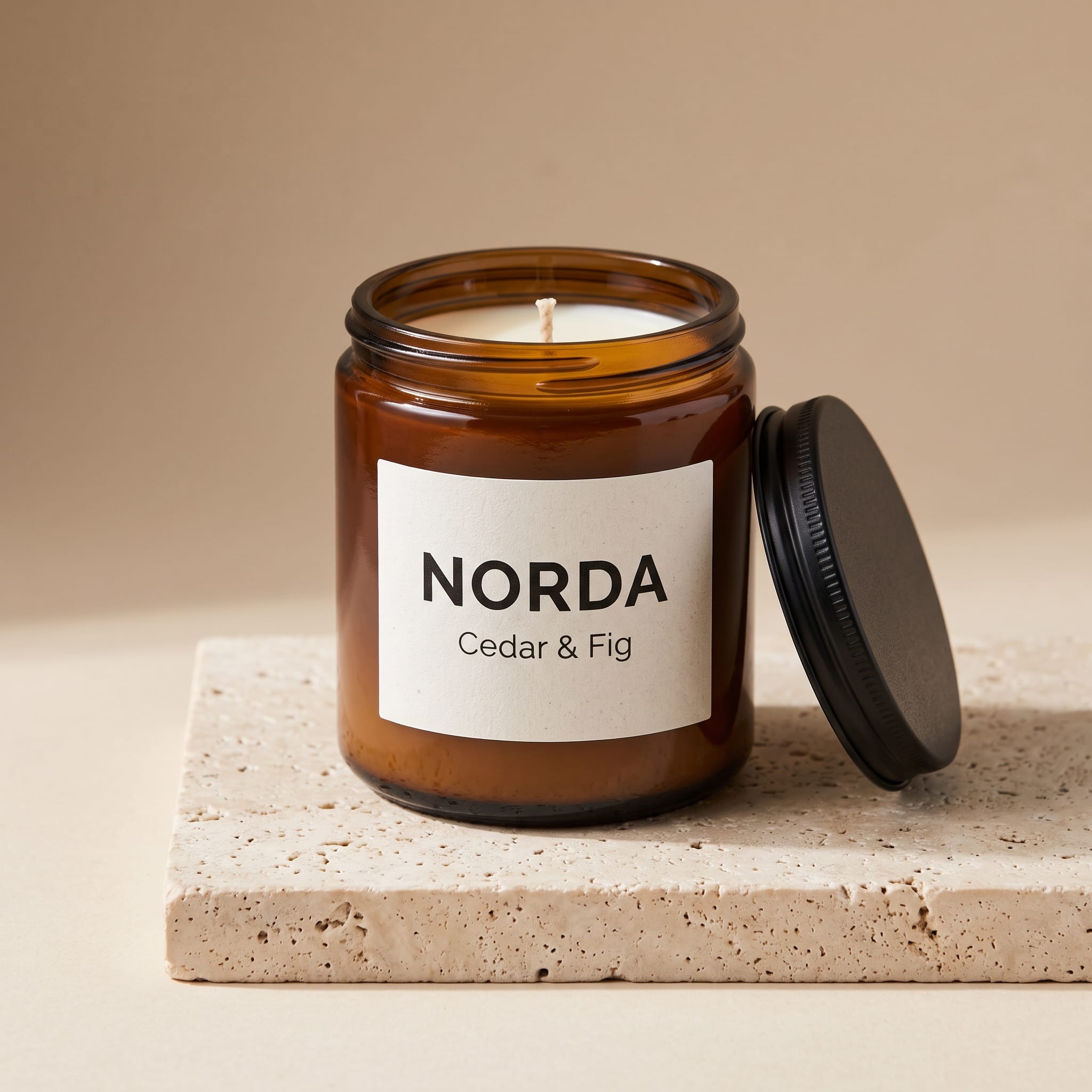
A fictional candle brand on a stone block. The prompt names the jar, the lid, the label text and the light, which leaves the model very little to guess.
2K · 4:5 · 1 Source
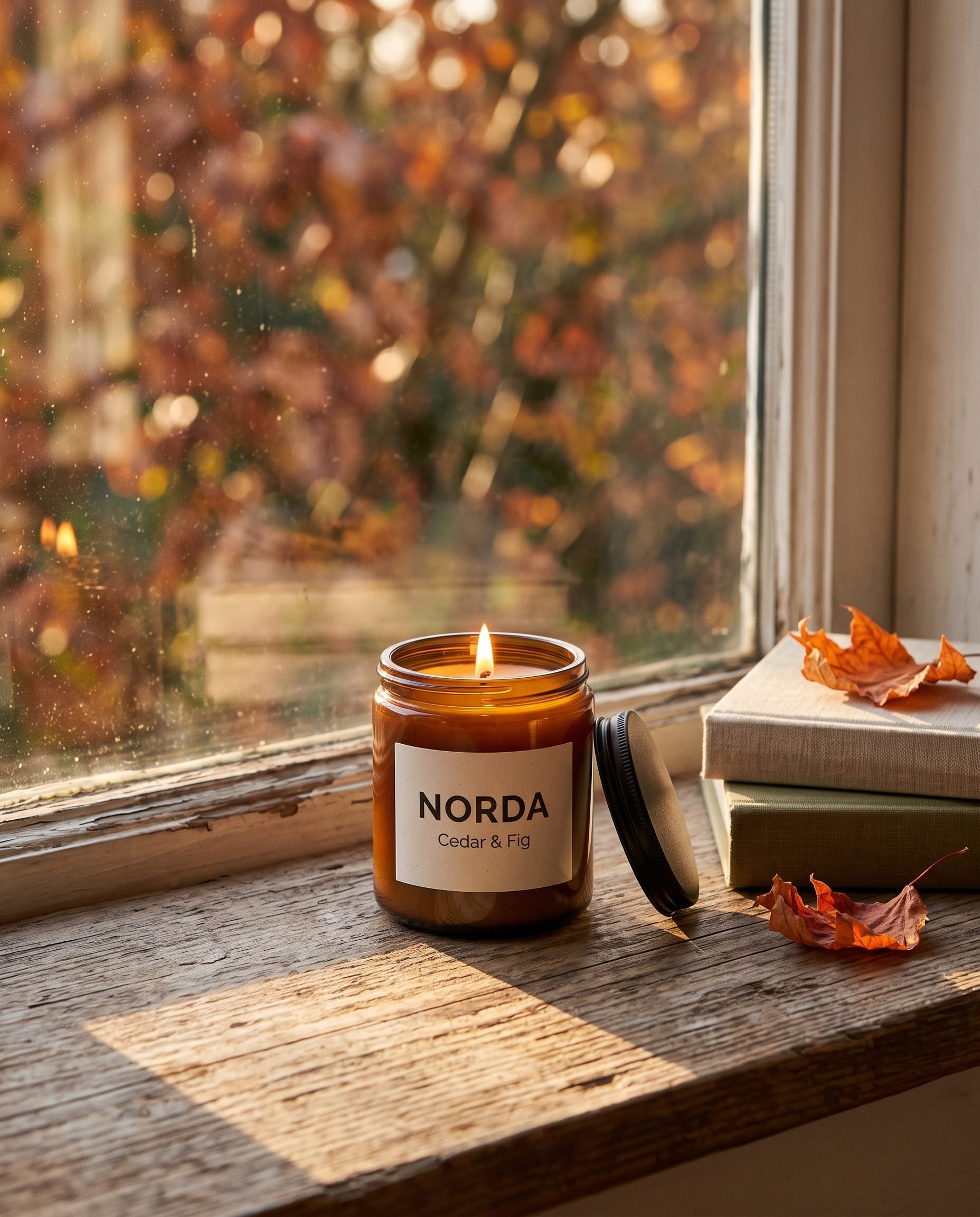
The studio shot becomes a lifestyle photo for social media. The jar and the label are carried over from the reference while the scene, light and framing change.
2K · 1:1
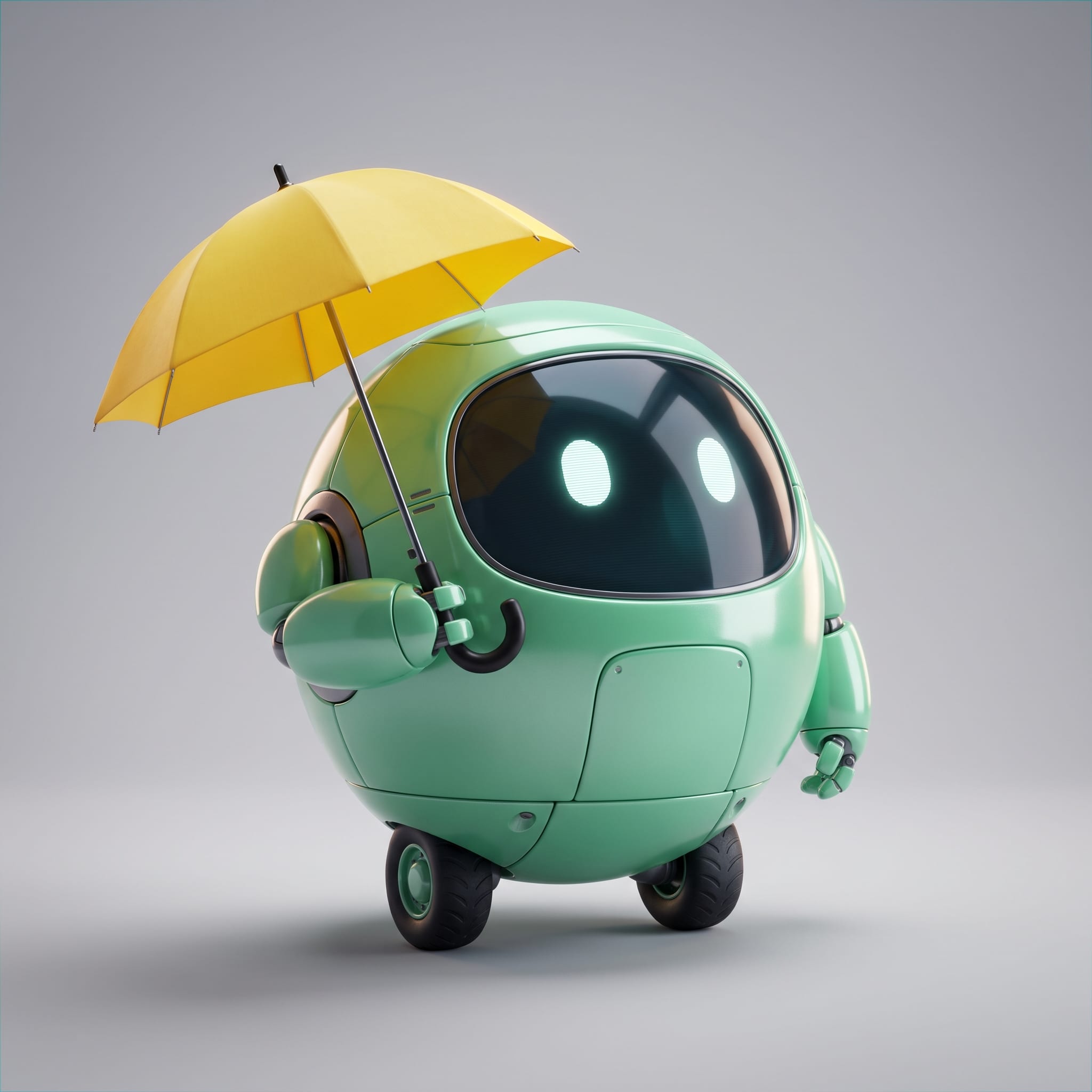
A simple character with a few strong features: color, face screen, wheels and an umbrella. Distinctive details like these make a character easier to keep consistent later.
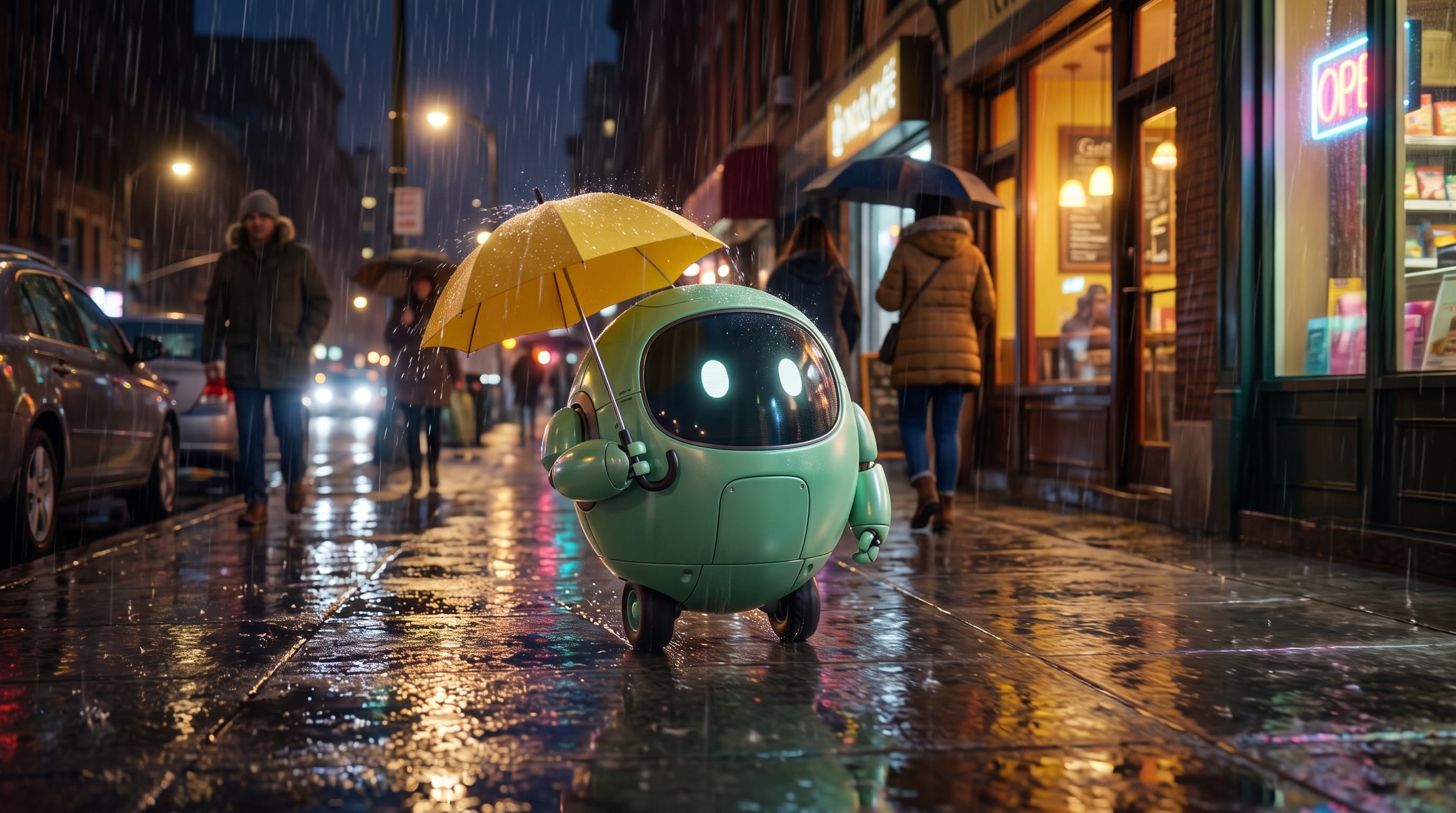
2K · 16:9 · 1 Source
The same robot from the previous example, now on a rainy street at night. This is the multi-turn character consistency that Google highlights for this version.
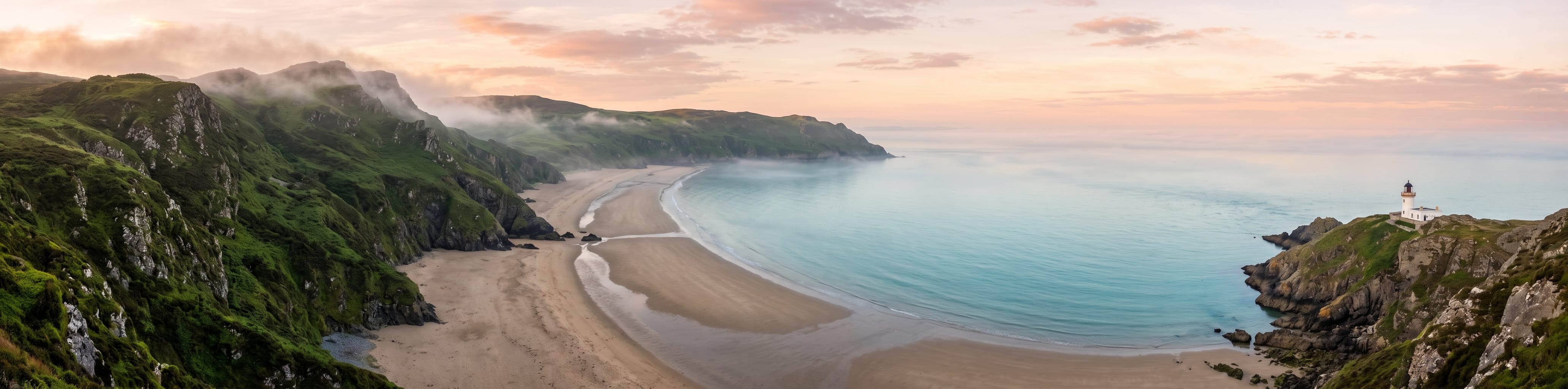
2K · 4:1
Ultra-wide formats such as 4:1 are new options worth testing. The prompt asks for a calm center, so a headline can sit on top of the image.
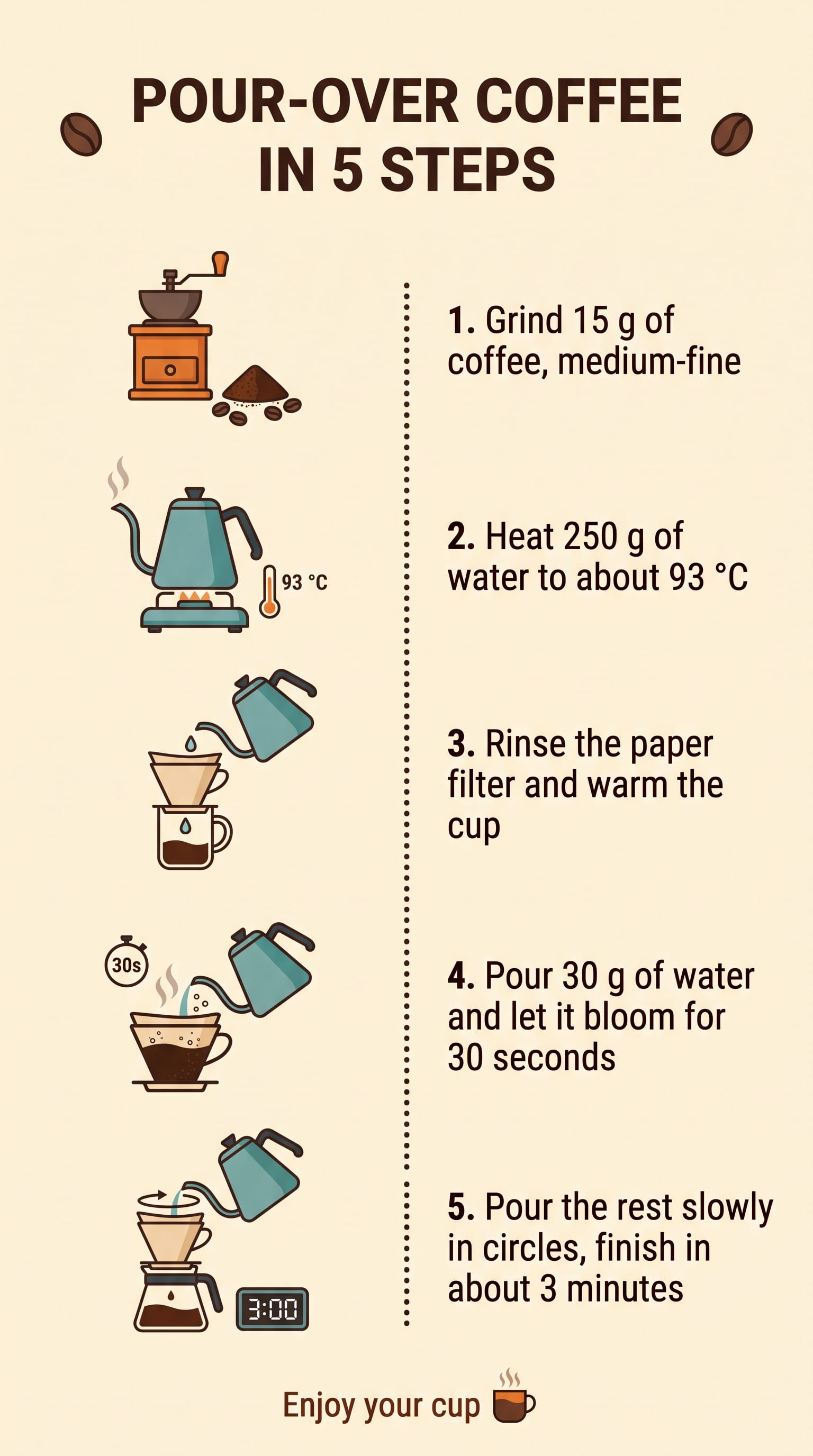
2K · 9:16
A 9:16 guide with five numbered steps, units and a footer. Useful for checking how the model handles a lot of small text in one layout.
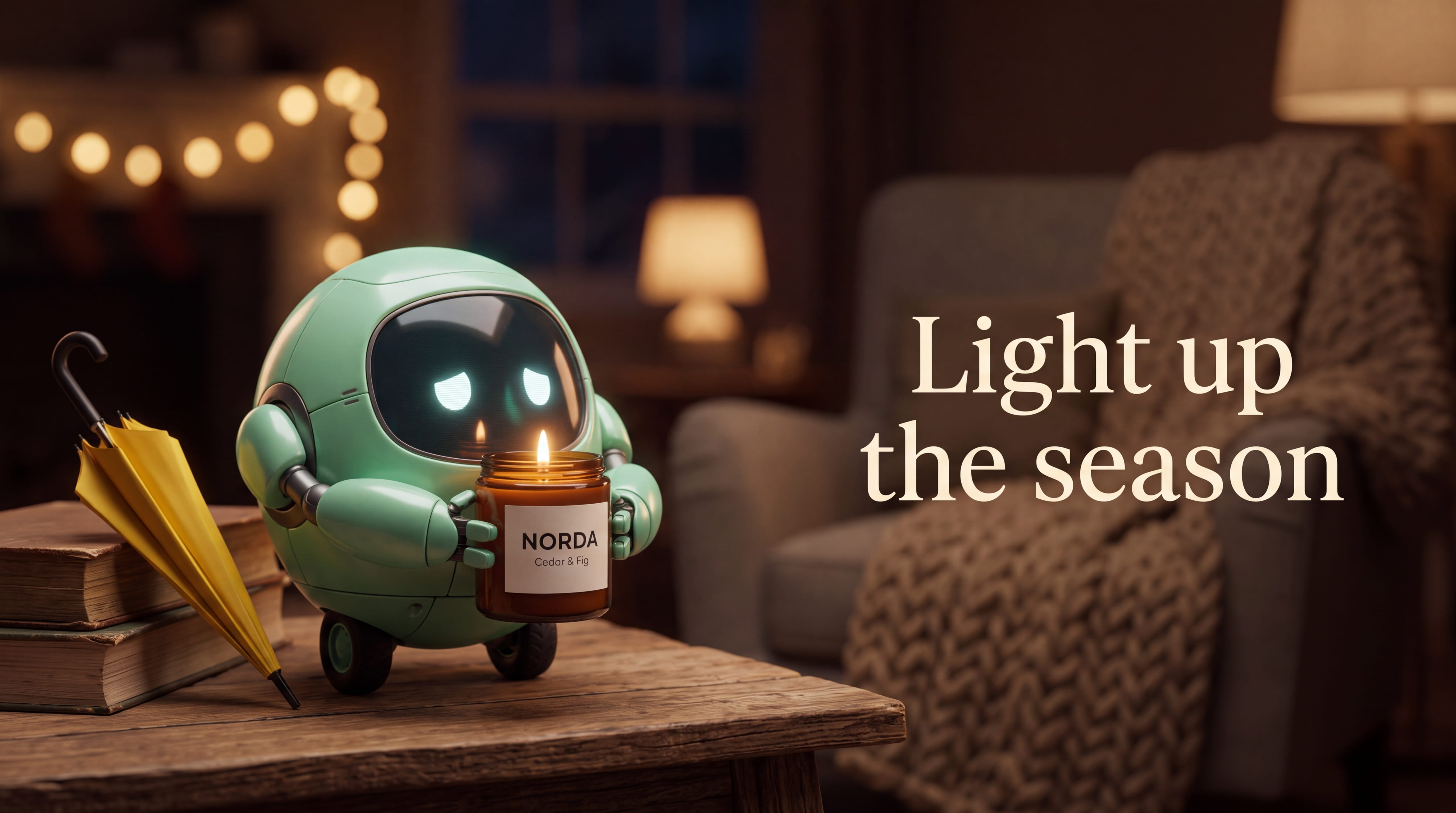
4K · 16:9 · 2 Sources
The candle and the mascot are combined into a single ad with a headline. Multi-image composition at 4K is where the model's reference handling really shows.
01
Nano Banana 2.1 is an image generation and editing model from Google. It was released on October 6, 2026, and in the Gemini API it is called gemini-nano-banana-2.1. Google describes it as an update to Nano Banana 2, the model also known as Gemini 3.1 Flash Image, and has named it the replacement for that model, which is now deprecated.
The idea behind the release is simple: keep the speed and low cost of a Flash-class model, but make the pictures better. Google lists improvements in visual quality, prompt adherence, character consistency across multiple turns, text rendering, and wide and panoramic aspect ratios. The model can create images from text alone, edit a photo you provide, or combine several reference images into a new scene.
On PixArmory you do not need a Google Cloud account, an API key or any code. You write a prompt, add images if you want to, and the result is saved to your history like any other PixArmory image.
02
If you already used Nano Banana 2, the controls will feel familiar. The differences show up in the results, and in the price.
Text is the most visible change. Menus, posters, labels and infographics come out cleaner and are misspelled less often, especially when you put the exact words in quotation marks. Character consistency is the second big one: when you edit the same person, pet or mascot several times, the new model is better at keeping their face, colors and proportions. Google also improved wide and panoramic formats, and lists 1:4, 4:1, 1:8 and 8:1 among the ratios that now work much better at 1K, 2K and 4K.
There is one thing it no longer offers: the small 512-pixel output that Nano Banana 2 supported. The new version starts at 1K.
Finally, the cost. Google's official API price for image output dropped from $60 to $30 per million tokens, which makes a 1K image about $0.034 instead of about $0.067. PixArmory passes that saving on, so the new model costs fewer credits here than Nano Banana 2 at every resolution.
03
All three models are available on PixArmory. For most everyday work, Nano Banana 2.1 is the best starting point. Nano Banana Pro, built on Gemini 3 Pro, is still the premium option when a picture depends on deep world knowledge or very fine creative control. Nano Banana 2 stays available for now, so existing workflows keep working while you compare results.
| Nano Banana 2.1 | Nano Banana 2 | Nano Banana Pro | |
|---|---|---|---|
| Best for | Everyday creation and editing, text, panoramas | Existing workflows | Maximum detail and world knowledge |
| Resolutions on PixArmory | 1K, 2K, 4K | 1K, 2K, 4K | 1K, 2K, 4K |
| Aspect ratio choice | 15 options, 1:8 to 8:1 | Chosen automatically | Up to 21:9 |
| Reference images | Up to 14 | Up to 14 | Up to 10 |
| Credits (1K / 2K / 4K) | 10 / 13 / 26 | 14 / 21 / 31 | 28 / 28 / 50 |
04
You can download the result, or use it as the starting point for the next edit. A good habit is to change one thing per round. Small, specific steps are easier for the model to follow than one long list of changes.
05
1K is ideal for drafts, social posts and quick tests. 2K gives you more detail for websites, presentations and product pages. 4K is worth the extra credits when the image will be printed, cropped heavily or shown on a large screen. A practical approach is to explore ideas at 1K and repeat your favorite prompt at 2K or 4K.
Match the aspect ratio to where the image will end up: 1:1 or 4:5 for social feeds, 9:16 for stories and phone screens, 16:9 for videos and slides, and 3:4 or 2:3 for posters. The panoramic ratios 4:1 and 8:1 suit website banners, and 1:4 or 1:8 suit tall formats such as a skyscraper ad or a long infographic. If you choose an extreme ratio, describe what should sit at each end of the frame, so the extra space is used well.
06
According to Google, Nano Banana 2.1 accepts up to 10 object images for high-fidelity details and up to 4 character images for consistency, 14 in total. In practice, that means you can upload a product from several angles, a logo, a texture and a couple of people, and ask the model to put them together.
References work best when your prompt says what each image is for. Write “the first image is the candle, keep its label unchanged” rather than “use these images”. Name the things that must not change, such as the label text, a face or a color, and then describe what should be new. For a recurring character, keep one clean reference image and reuse it every time, instead of feeding back an edited copy of an edited copy.
07
08
The new model is a clear step forward, but it is not perfect. Very small text, long paragraphs and unusual fonts can still contain mistakes, so always proofread before you print. Character consistency is much better, but a face can still drift after many edits. Complex spatial details, such as hands holding several objects or precise technical diagrams, sometimes need another attempt.
Google adds an invisible SynthID watermark to every image the model creates, so the image can be identified as AI-generated. Requests that break Google's or PixArmory's content policies are refused. Facts in an image are only as current as the model's training data, unless you turn on Google Search grounding.
09
A Nano Banana 2.1 image costs 10 credits at 1K, 13 credits at 2K and 26 credits at 4K. Google Search grounding adds 3 credits. The number of reference images does not change the price, and the total is always shown on the generate button before you confirm. If a generation fails, the credits are returned automatically. New accounts receive free credits, so you can try the model before choosing a plan.
Yes. Nano Banana 2.1 is Google's image model, released on October 6, 2026. PixArmory connects to Google's official Gemini API, so you get the same model without having to set up an API key.
For most tasks, yes. Google reports better visual quality, prompt adherence, text rendering and character consistency, plus improved panoramic formats. It also costs fewer credits. The only feature it drops is the small 512-pixel size.
Yes. Upload one or more photos and describe the change, for example a new background, different lighting or an added object. You can also start without any image and create one from text.
Up to 14 per request on this page, each up to 15 MB in JPG, PNG or WebP format. Google recommends up to 10 object images and up to 4 character images.
Auto, 1:1, 2:3, 3:2, 3:4, 4:3, 4:5, 5:4, 9:16, 16:9 and 21:9, plus the panoramic 1:4, 4:1, 1:8 and 8:1.
Yes. You can choose 1K, 2K or 4K output. 4K costs 26 credits on PixArmory.
It lets the model look up current information and reference images on the web before drawing, which helps with things like recent events, weather or real places. It adds 3 credits and is off by default.
You can download the images and use them in your projects, subject to PixArmory's terms and Google's usage policies. Every image carries Google's invisible SynthID watermark, and you are responsible for not infringing other people's trademarks or likeness.